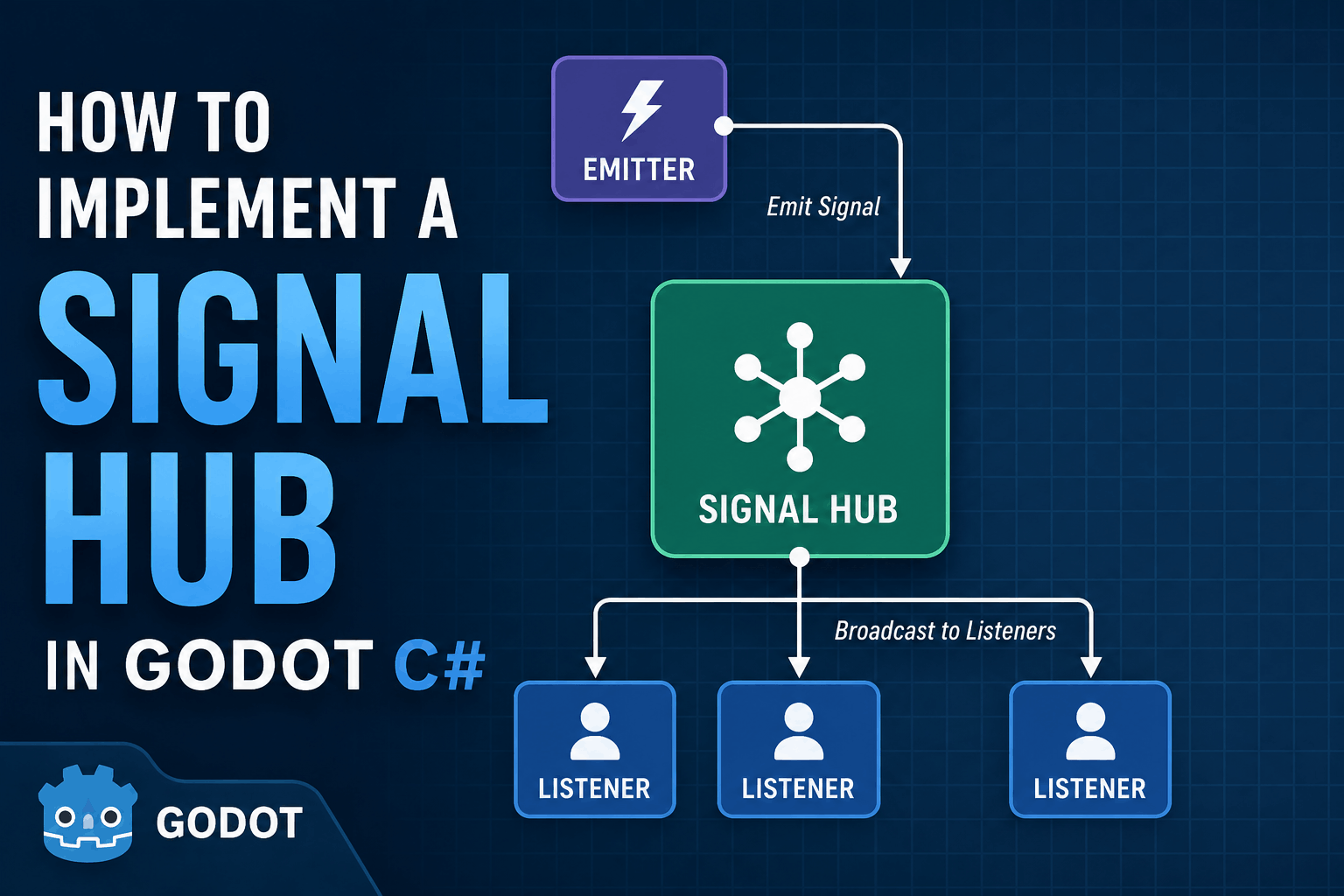
The SignalHub (sometimes called EventHub) is a popular programming pattern that many programmers use. In the context of Godot, it is basically a centralized piece of code that we can use to handle our custom signals in the game.
How the Signal Hub works?
A Signal Hub is a global script (Autoload). You declare all custom game signals and their emission methods inside this single file.
- Emitters: Any object in the game can access the hub and fire off a signal when an event occurs.
- Listeners: Any node that needs to respond to that event connects to the hub.
When an action fires, all connected listeners get notified automatically without needing to know who triggered it.
Why should you use a signal hub in the first place?
As games scale, direct node connections quickly create “spaghetti code.”
Imagine a player picking up a coin. The Player script needs to notify the GameManager to update the score. If you connect them directly, they are tightly coupled. What if you later add an achievement tracker, a sound controller, or a level door that opens after 10 coins? You’d have to rewrite the Player script every time a new system cares about pickups.
With a Signal Hub, the Player simply tells the hub: “A coin was picked up!” The player doesn’t care who is listening, keeping your codebase modular and easy to extend.
Coding your own signal hub in Godot C#
using Godot;
using System;

public partial class SignalHub : Node
{
    public static SignalHub Instance {get;private set;}

    [Signal]
    public delegate void SignalNameEventHandler(PickUp pickUp);

    public override void _EnterTree()
    {
        Instance = this;
    }

    public void EmitSignalName(...Parameters..)
    {
        EmitSignal(SignalName.SignalName, ...Parameters.. );
    }
}⚠️ Important: Don’t forget to add SignalHub.cs as an Autoload in Godot under Project → Project Settings → Autoload so Instance is initialized when the game starts!
Key Details to Watch For:
The Wrapper Method: Writing a method like EmitSignalName() keeps emission code clean and allows you to add validation or debug logs in one place before sending signals.
The [Signal] Attribute: To create a signal in Godot C#, mark a delegate with [Signal]. In Godot 4, the delegate name must end with EventHandler.
The Singleton Instance: We define public static SignalHub Instance { get; private set; } and set it in _EnterTree(). Because Godot signals rely on Godot’s underlying Node lifecycle, we need a living instance reference rather than a purely static class.
Emitting and Listening to Signals
Emitting a Signal
When an event happens (for example, inside your PickUp script), fire the signal through the singleton instance:
C#
SignalHub.Instance.EmitSignalName(...Parameters..);
Subscribing to a Signal
In any node that needs to listen (like a GameManager or UIManager), subscribe using C# event syntax inside _EnterTree() or _Ready():
C#
public override void _EnterTree()
{
    SignalHub.Instance.SignalName += OnSignalName;
}

private void OnSignalName(...Parameters..)
{
    GD.Print("Something magical occur.. add related functions");
}
Unsubscribing (Preventing Memory Leaks)
To avoid memory leaks or runtime errors when nodes are destroyed, always unsubscribe from the hub when the node leaves the scene tree:
C#
public override void _ExitTree()
{
    SignalHub.Instance.SignalName -= OnSignalName;
}